No mockups, no vague promises: these are the pages as they look on a phone that rides in a work truck. Each one is explained under the screenshot — what it does, why it exists, what it saves you from retyping.
Pro Speak Artisan is an estimating and invoicing app for tradespeople, available on iOS and Android. It turns a job described out loud into a priced estimate in about three seconds, gets it accepted through a signed link, issues the invoice from it — deposit then balance — tracks the payment and exports your books as CSV, IIF or FEC. It covers 23 trades in English, French and Spanish, and works offline.
You hold the mic, describe the job the way you would explain it to an apprentice, and let go. Whisper transcribes it, then a model trained on your trade breaks the description into line items, pulls prices from your catalog and lays down the totals. About three seconds. What comes back is a draft: nothing reaches the client until you have read it.

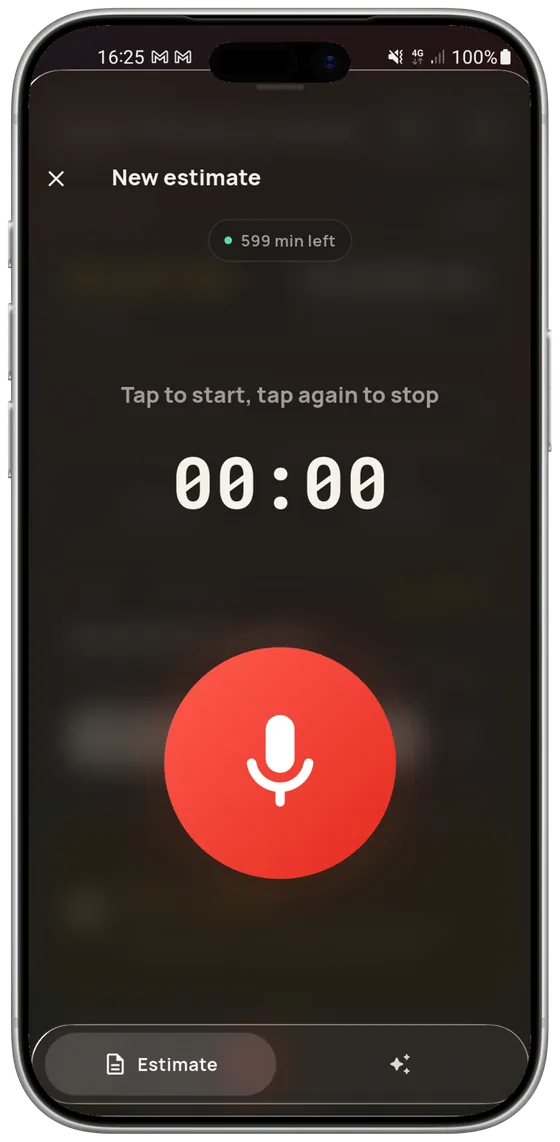
One button, a timer, and your voice credit kept in view above it — 599 minutes left here. From the same screen you dictate a new estimate or talk to the assistant. Recording stops on its own before the cap, with a ten-second countdown: no way to drain a month of credit from inside a pocket.

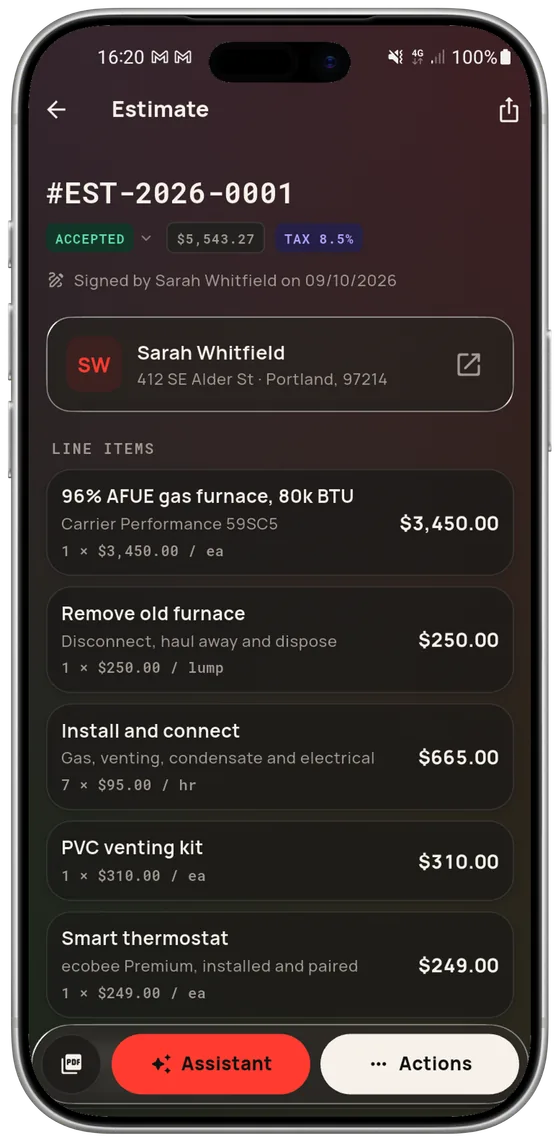
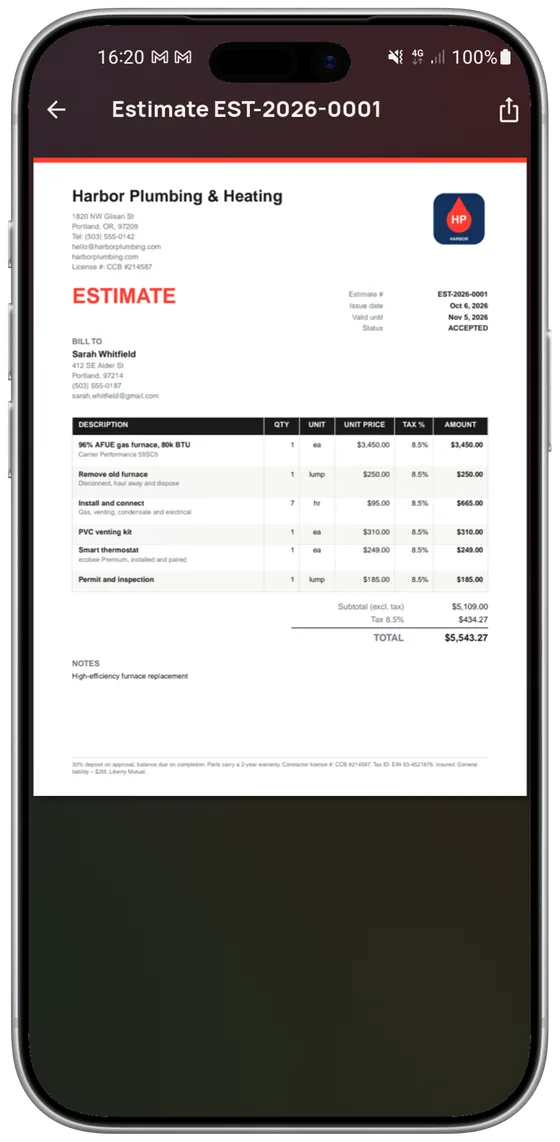
Every item carries its label, description, quantity, unit, unit price and amount — parts, labor, flat fee. Below them, subtotal, tax and total. At the top: the number, the status, the client, and the signature date once the estimate is accepted. At the bottom, the invoice it produced and the before/after photos.

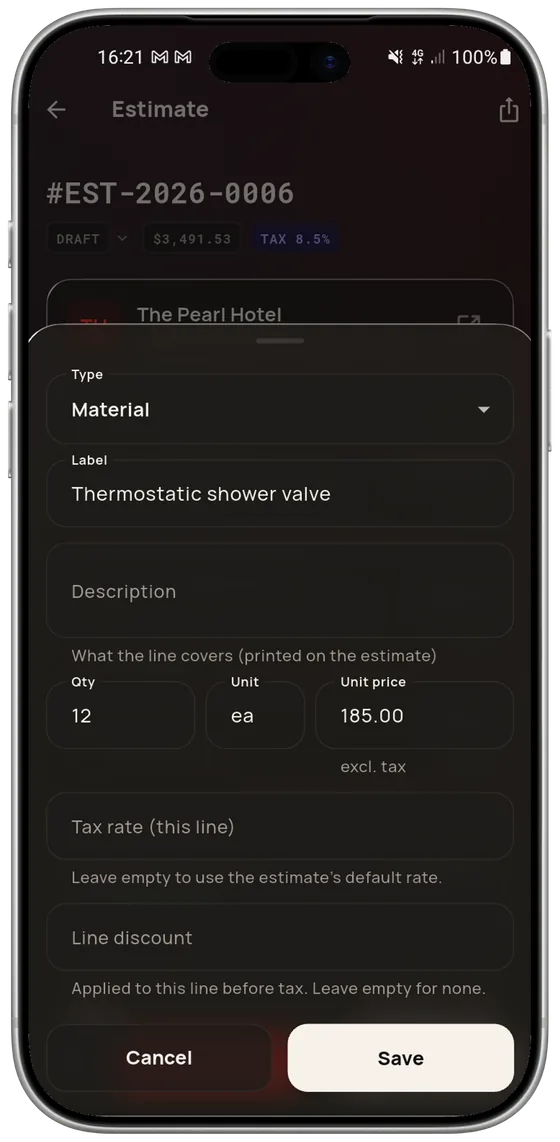
Type, label, the description printed on the estimate, quantity, unit, unit price, a tax rate for that line alone, discount. All editable by hand: the AI proposes, you decide. You can also dictate a correction — the app then touches only the lines concerned, and shows you what it is about to change before applying it.

Your logo, your contact details, your license number, your validity line, your terms, your color. You look at the document before sending, then it goes out by email, text or WhatsApp, or prints. It is the same file your client opens: no layout surprises on arrival.
The client gets a link. They read the estimate on their phone, with no account and nothing to install, and they accept — their name and the date land on the document. From there the invoice is issued from that estimate: same lines, same totals, its own number. You approve a document, you do not write a second one.

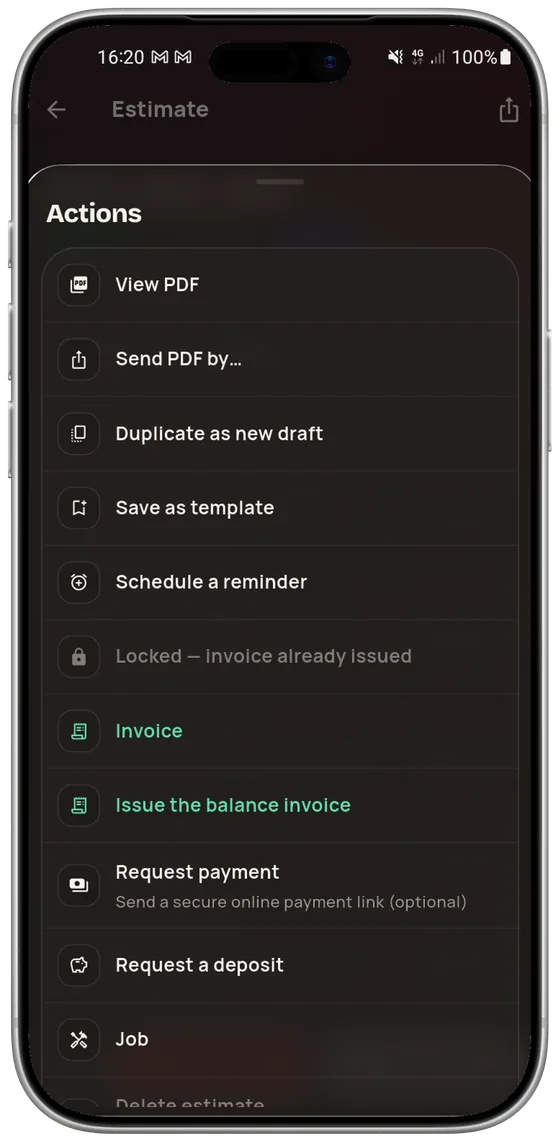
View and send the PDF, duplicate it into a new draft, save it as a template, schedule a follow-up reminder, invoice it, issue the balance invoice, request a deposit, request payment, open the matching job. Once the invoice is issued the estimate locks: a document already in the client’s hands is not rewritten behind their back.

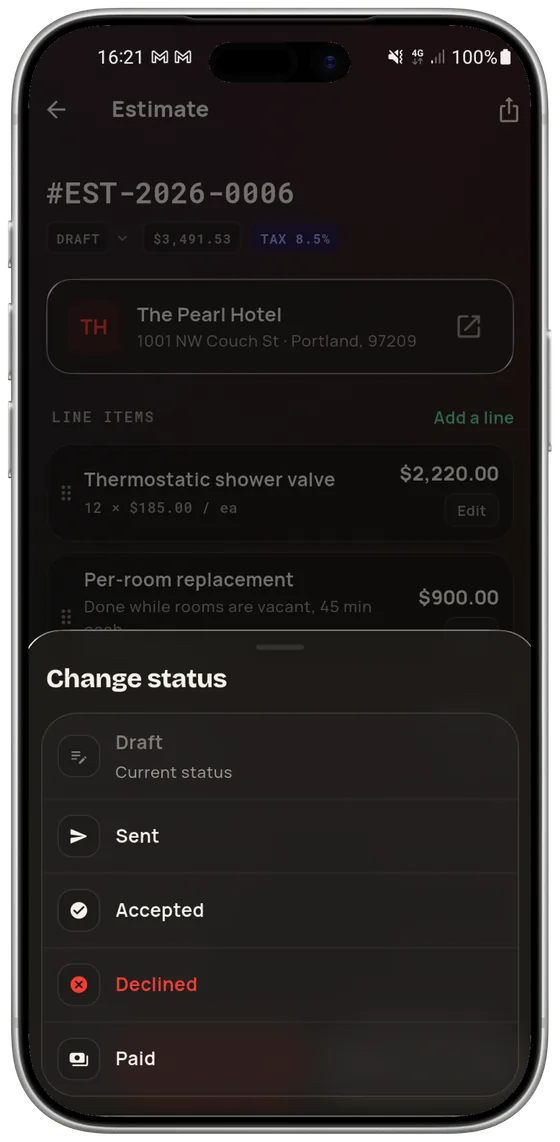
The approval link updates the estimate by itself when the client decides. But half of all jobs are agreed out loud on the sidewalk: the status can also be set by hand, in two taps, so the app reflects your reality instead of the other way around.

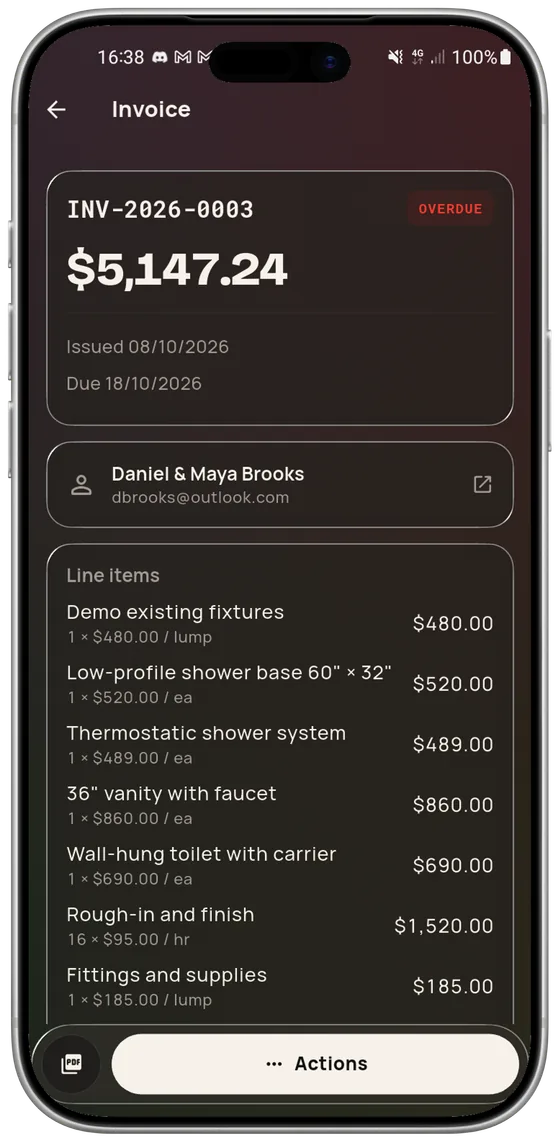
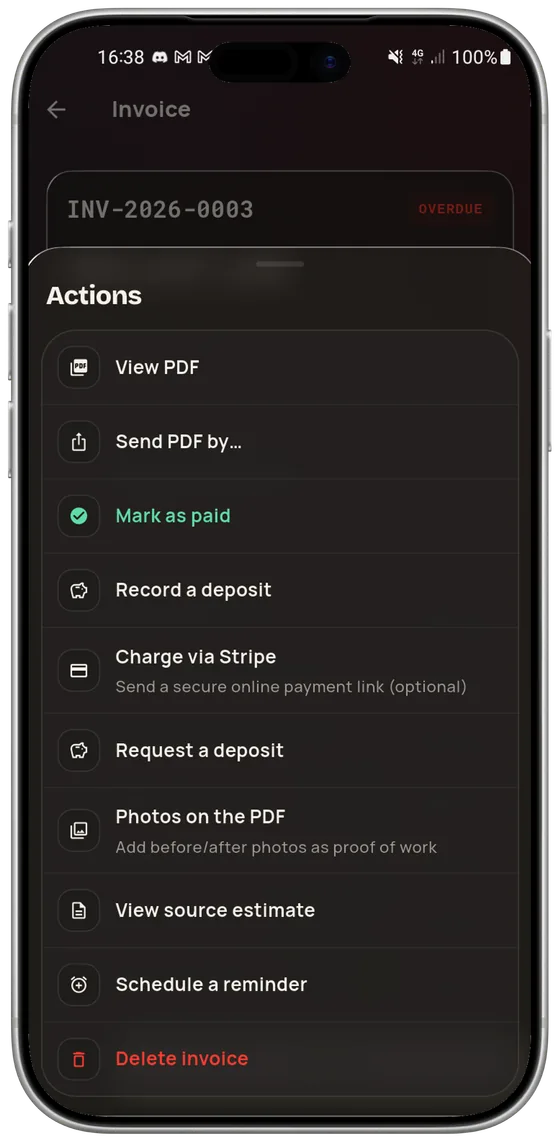
Its number, issue date, due date and state — overdue here, in red, without anyone having to work it out. A job billed in two steps gives a deposit invoice then a balance invoice: two separately numbered documents, not one invoice edited twice. A deposit collected on its own does not make the job look paid.

On the Pro plan, Stripe Connect turns the invoice into a payment link: the client pays by card and the money lands straight in your bank account — Pro Speak Artisan never holds it. Cash, check, transfer? “Mark paid” is enough, and your unpaid list becomes a real unpaid list again. You can also attach the photos to the PDF as proof of work.
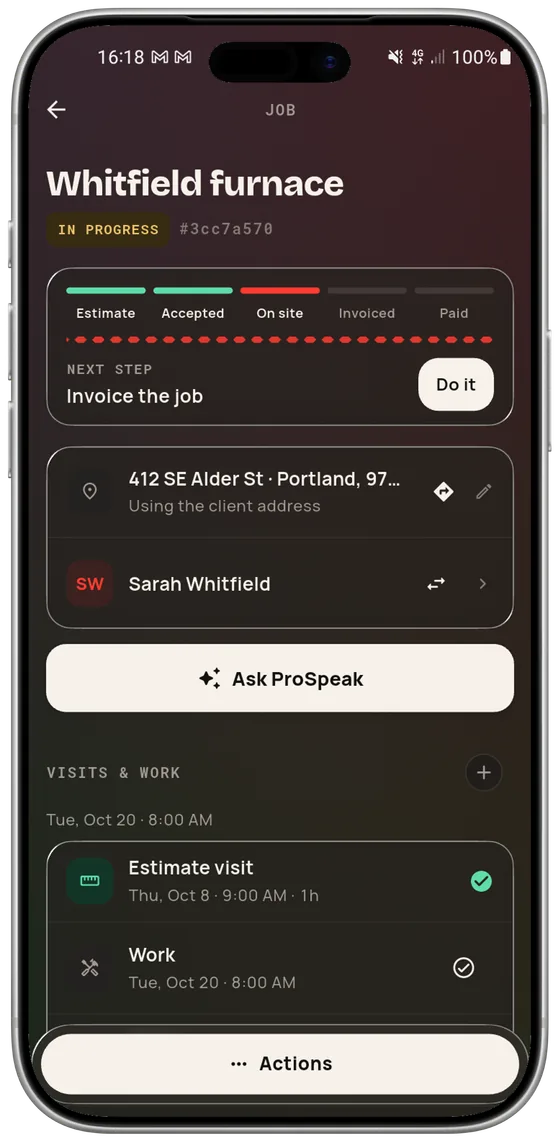
A job is not a document, it is a sequence: estimate, accepted, on site, invoiced, paid. The app infers the stage from the documents themselves instead of waiting for someone to remember to change a status — the difference between a pipeline that is accurate on Monday morning and one that is accurate all week.

The bar at the top shows where the job stands, and the “next step” line says what to do now — invoice it, here — with the button that does it. Below: the address, pulled from the client record, the client, and every visit past and scheduled.

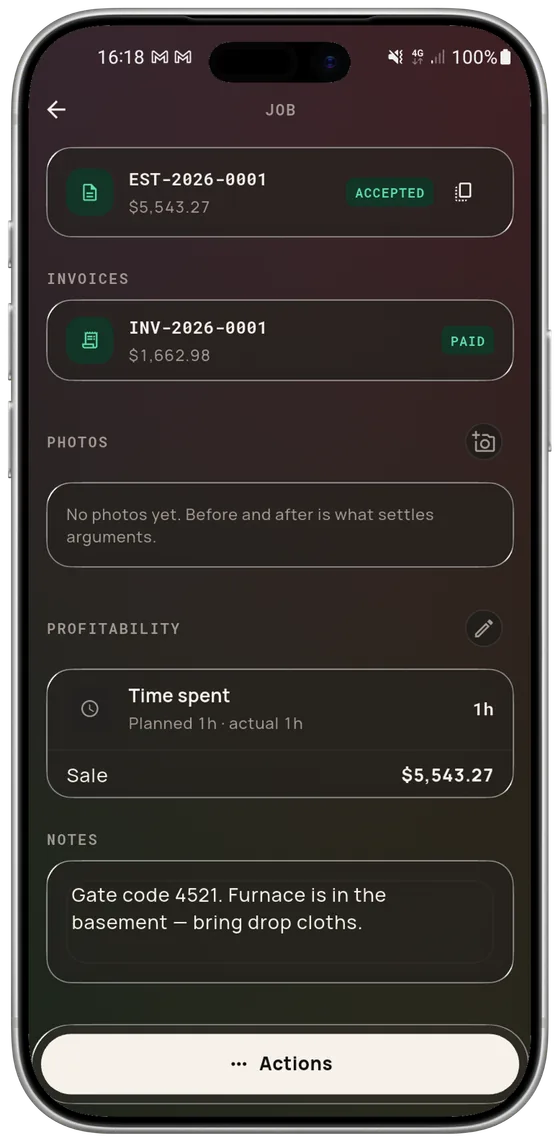
When you close a job the app asks for the real duration, pre-filled with the planned one — confirm, correct, or skip. Next to it, the sale. That is what tells you whether your gut is calibrated: once the gap between planned and real repeats over at least five jobs and exceeds 10 %, the app says so instead of letting you find out at year end.

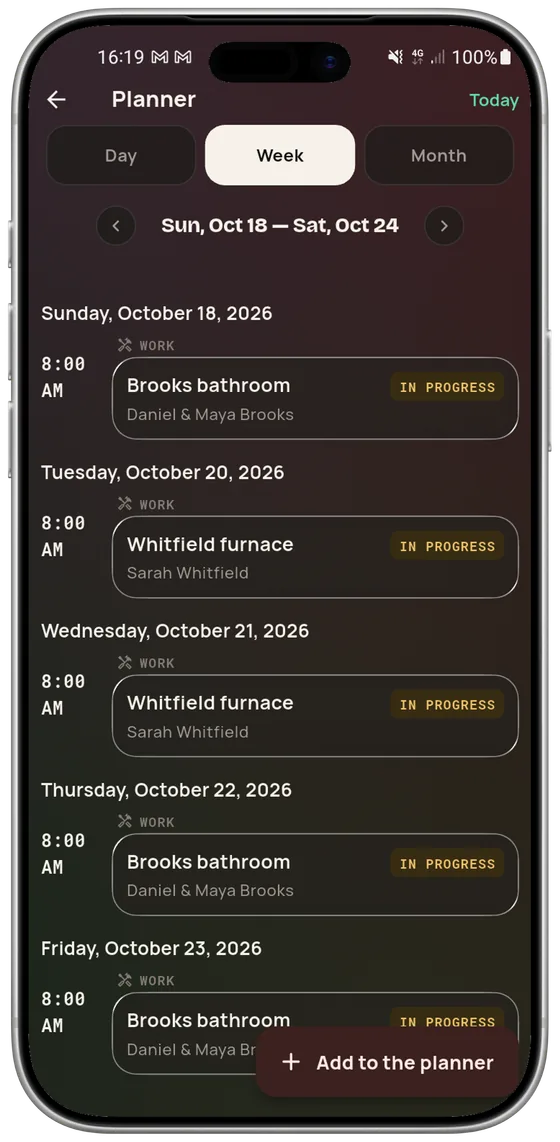
Visits carry their planned duration, which makes a route plannable instead of optimistic. Three views: the day to leave in the morning, the week to promise a date over the phone, the month to see a gap coming.

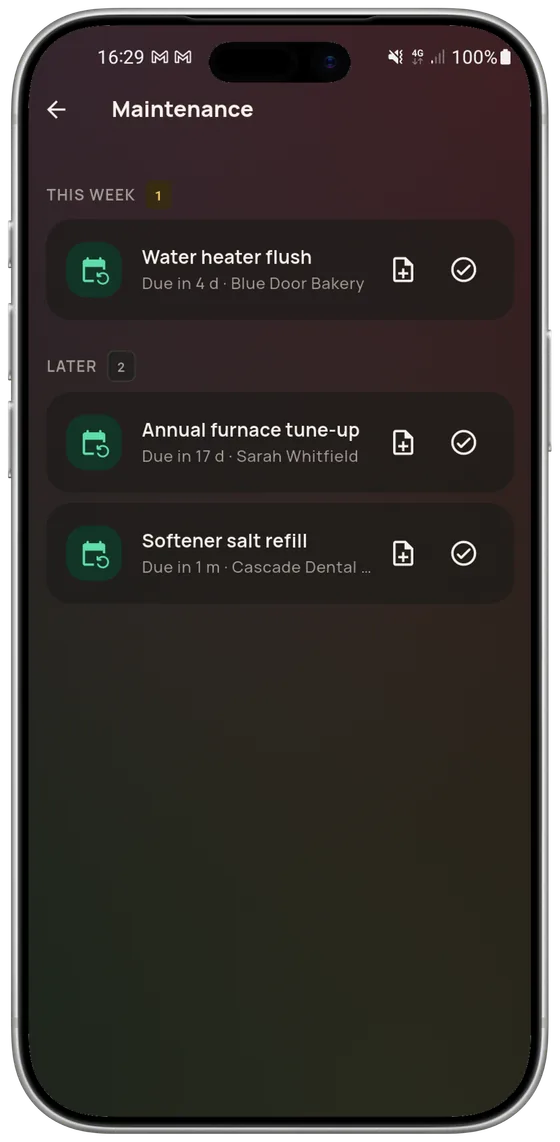
Each trade ships with recurring service rules: a water heater installed today schedules its own flush, a furnace its annual service. Tasks are grouped into overdue, this week and later — the only grouping that matters when you are deciding what the day is made of. Mark it done, push it a week, or open the estimate it came from.

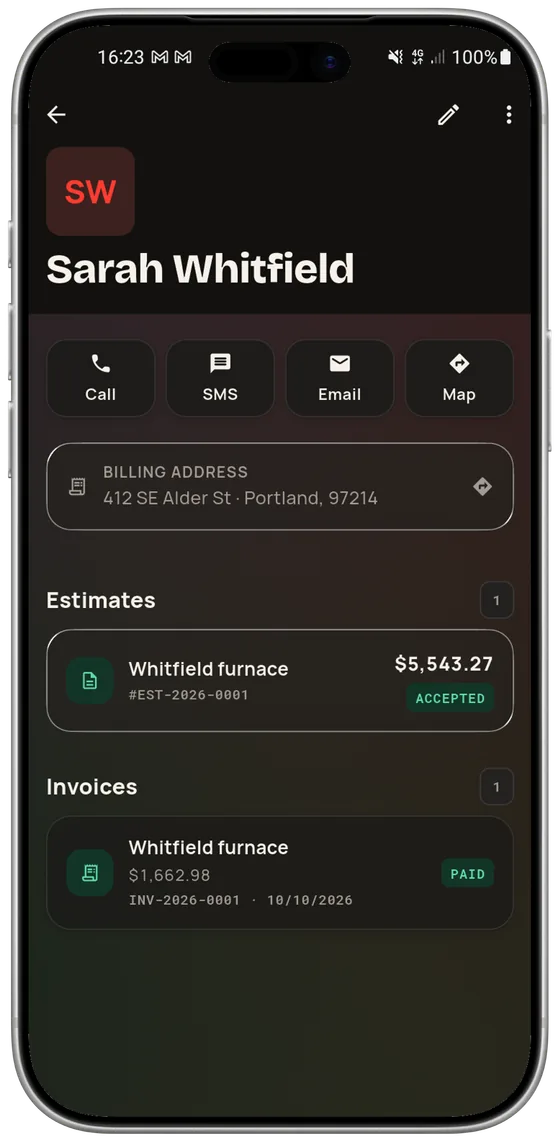
Call, text, email, open the address in maps: four buttons, not four apps. Below them, everything you have done for this person — estimates, invoices, jobs, photos — instead of a history reconstructed from memory before calling them back.
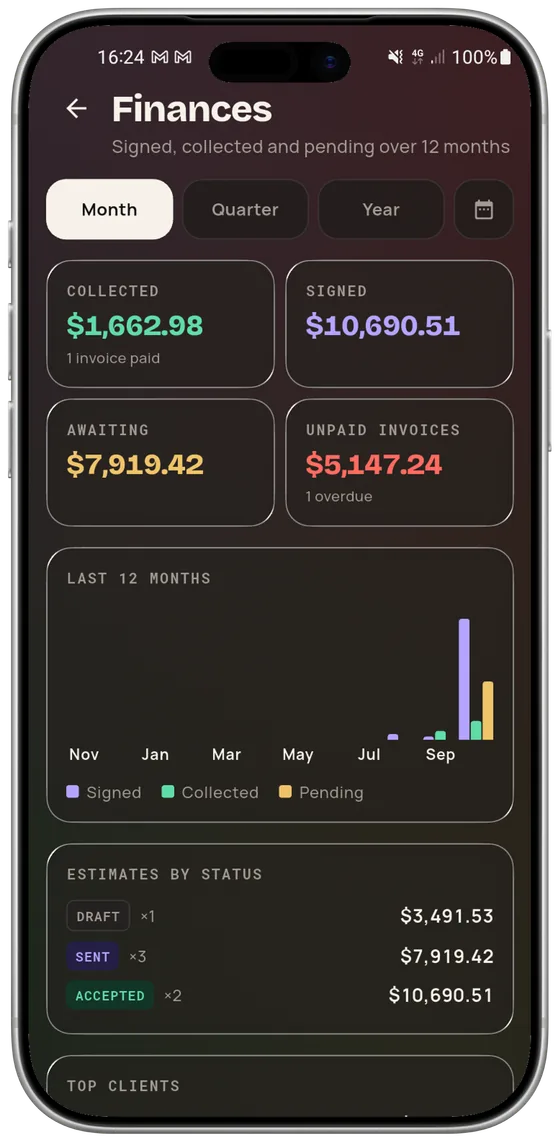
Three numbers, not a spreadsheet. The gap between what you signed and what you collected is exactly where margin disappears — in change orders never billed and balances never chased. Most tradespeople could not quote that number from memory; here it is on screen all the time.

By month, quarter or year. Below, the last twelve months in bars, estimates broken down by status — draft, sent, accepted, paid, declined — and your best clients for the period. Enough to answer “is this a good year?” with something other than a feeling.

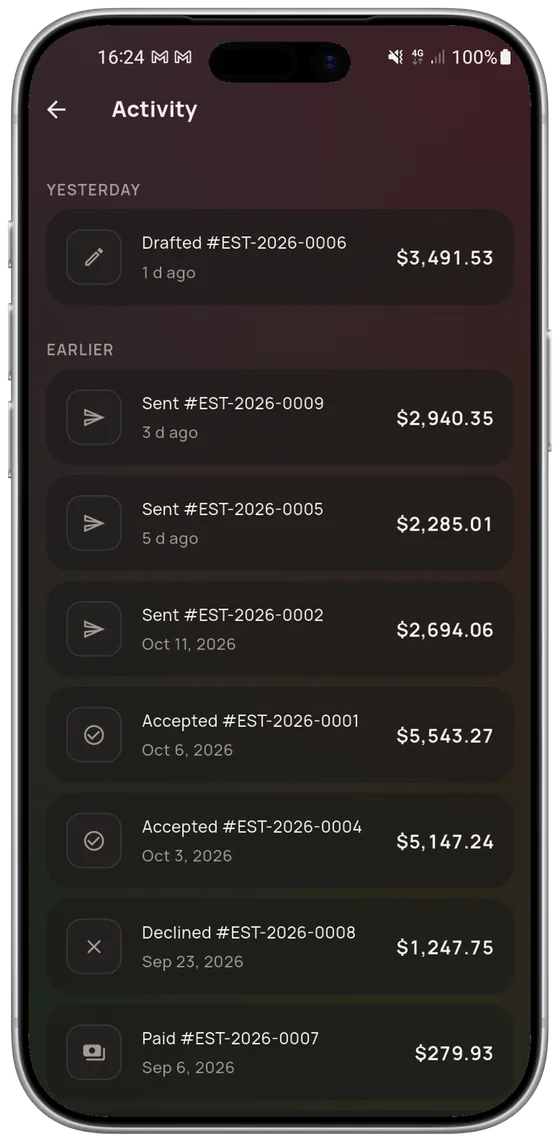
The feed sorts your documents by what last happened to them: draft created, estimate sent, estimate accepted, invoice paid, estimate declined. That is what lets you chase the right estimates without keeping a list on the side, and see that a client decided without opening every document.

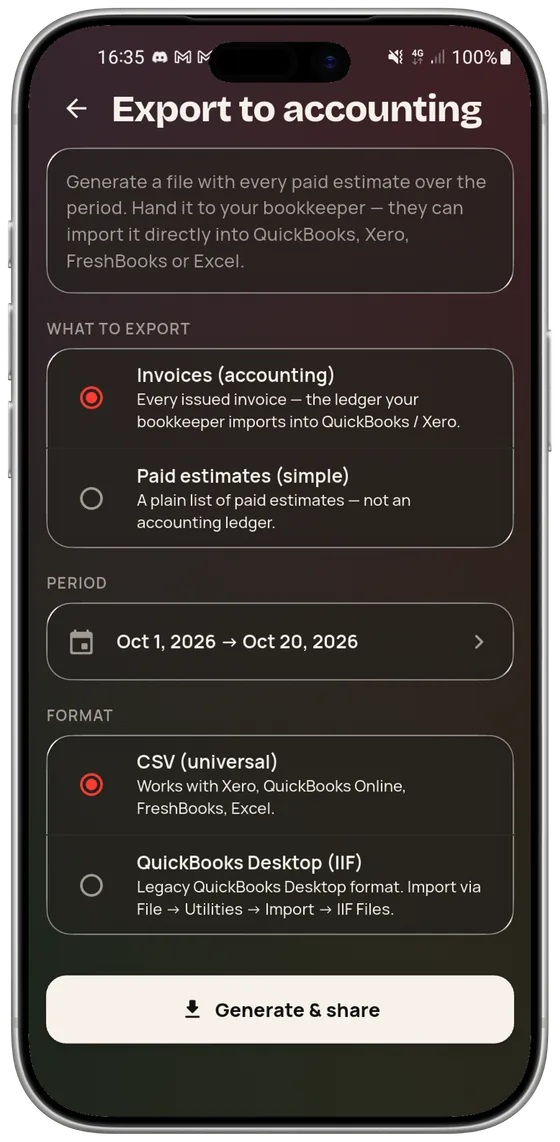
A period, a format, a file. Universal CSV for Xero, QuickBooks Online, FreshBooks, Sage and Excel; IIF for QuickBooks Desktop; FEC, the French statutory accounting file required by article A. 47 A-1 of the Livre des procédures fiscales, offered to French businesses. Export your invoices — the real ledger — or a plain list of paid estimates. The file is built on the phone, so it comes out with no signal.

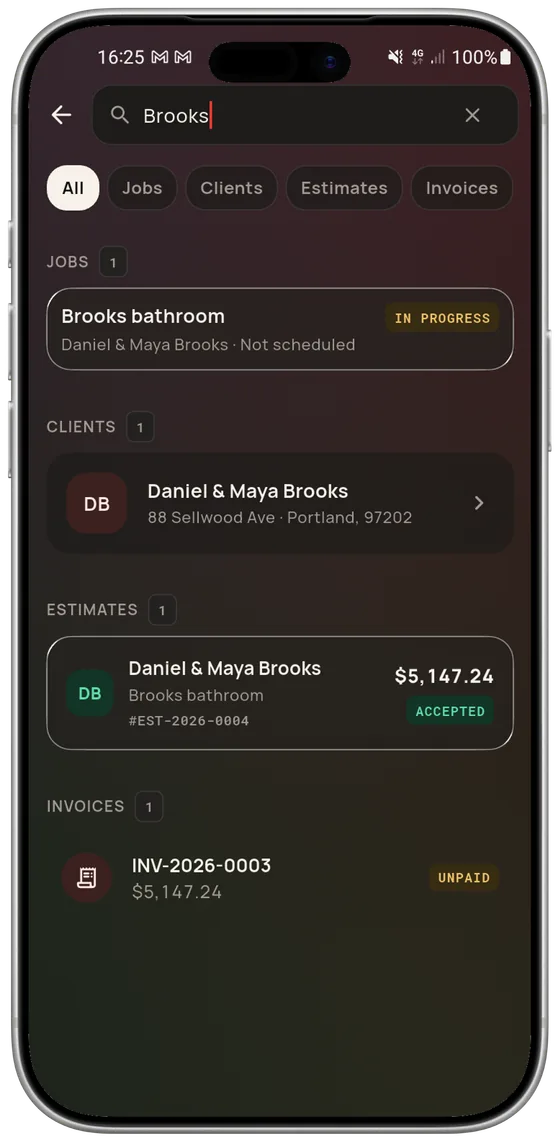
A name, a town, an estimate number: the search answers across jobs, clients, estimates and invoices at once. It is the screen you open when a client calls back six months later saying only “it’s about the bathroom”.
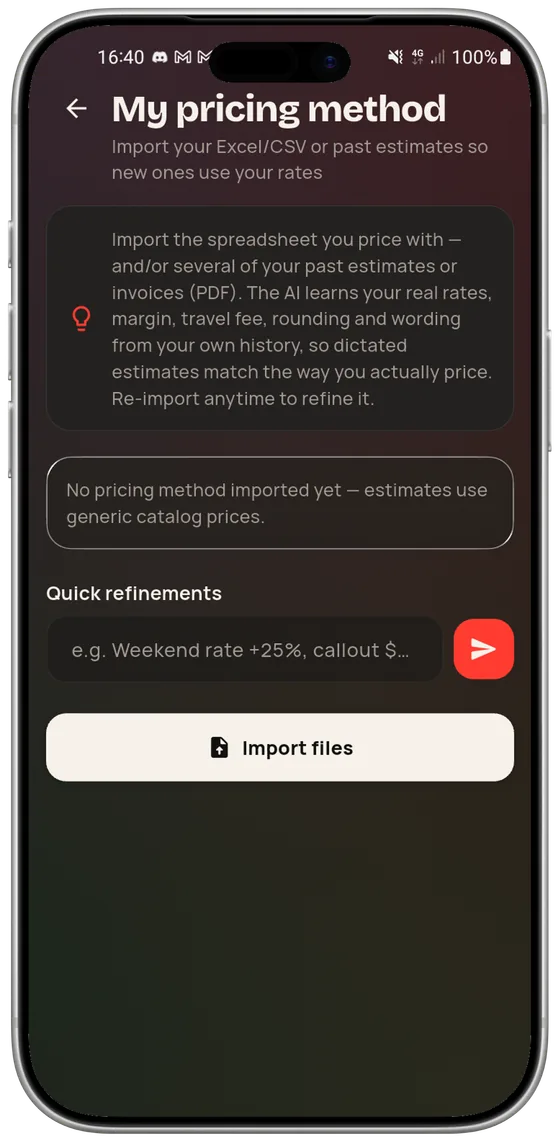
An estimate priced at rates that are not yours does not save you time, it loses you money tidily. Which is why the first thing the app asks for is the way you price — imported from what you already have, not retyped.

Drop in a spreadsheet or old estimates as PDFs. The app pulls out your hourly rate, your markup, your travel fee, your rounding rule and your vocabulary, and every dictated estimate is then priced through them. A refinement can also be typed in one sentence — “weekend rate +25 %”, “$35 travel under 20 miles” — and you can re-import whenever you want to sharpen it.

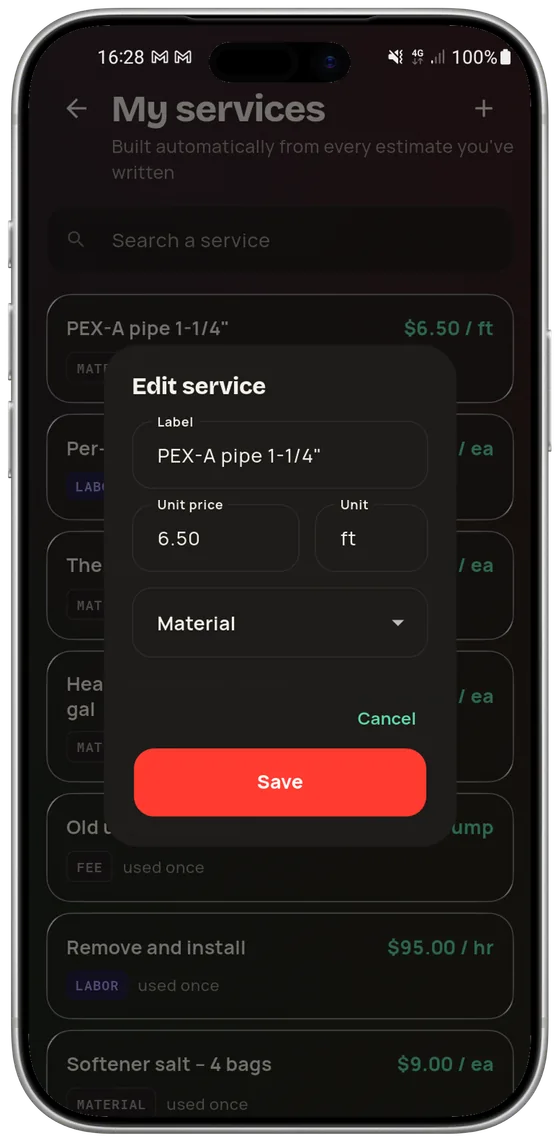
The catalog builds itself from every line you have ever priced, with its price, its unit and how many times it has been used. Nothing to enter up front: after a handful of estimates, the library is your company’s rather than the software’s.

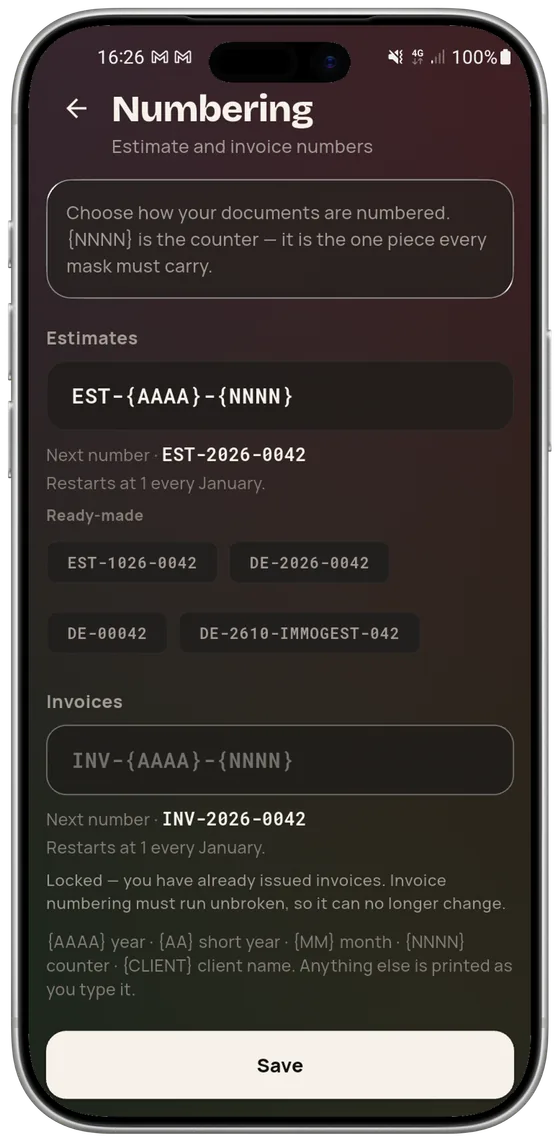
A mask — year, short year, month, counter, client name — and the app shows three examples before you save. The estimate mask stays free. The invoice mask freezes after the first invoice is issued: invoice numbering has to be continuous and gap-free, and the app stops you rather than letting you create an audit problem.

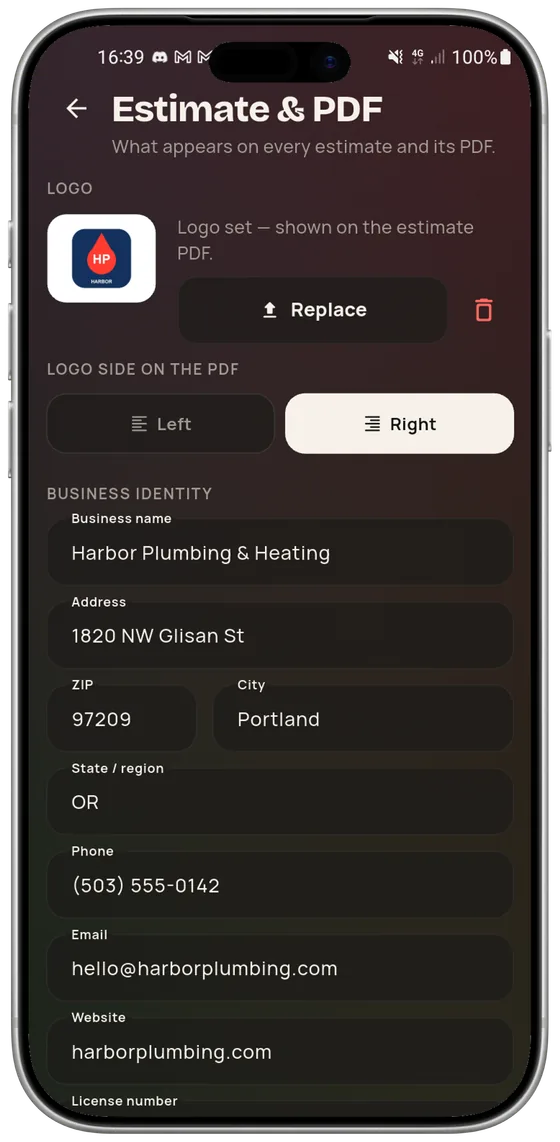
Logo and which side it sits on, company name and address, phone, email, website, license number, default tax rate, currency, validity window, accent color, terms and a closing line. Set once, applied to every estimate and every invoice — and you can open a sample PDF to check before the first send.
What makes a job-site app stick is not the headline features but the ten seconds saved thirty times a day: a question asked out loud, a home screen that says what to do, a notification that does not wake you for nothing.

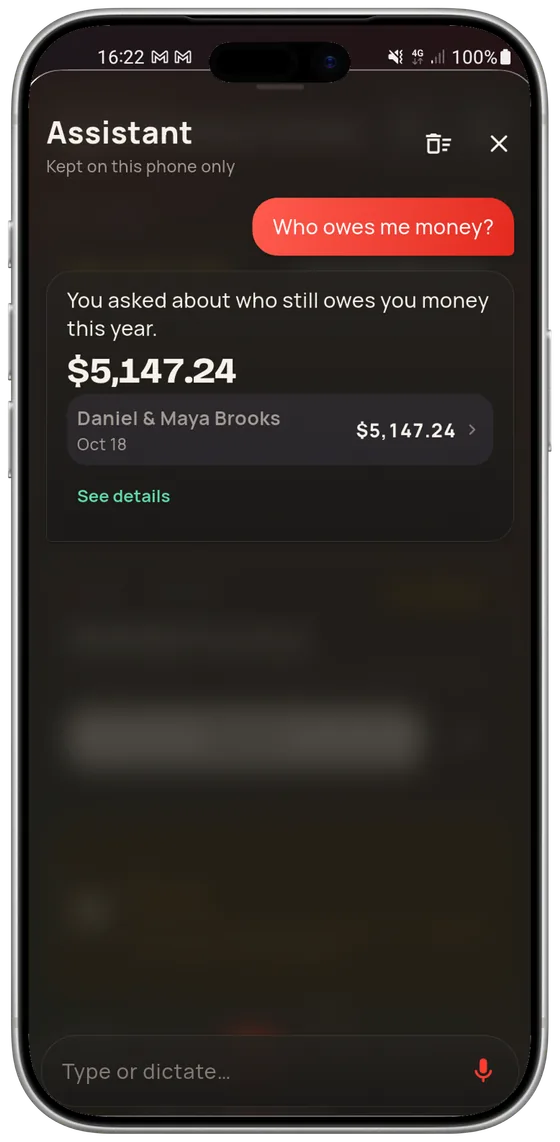
“Who owes me money?” — and you get the amount, the clients and the breakdown. The assistant knows your estimates, invoices and jobs, answers questions about your business, and can act too: mark an estimate sent or accepted, add a line. It always says what it is about to do before doing it.

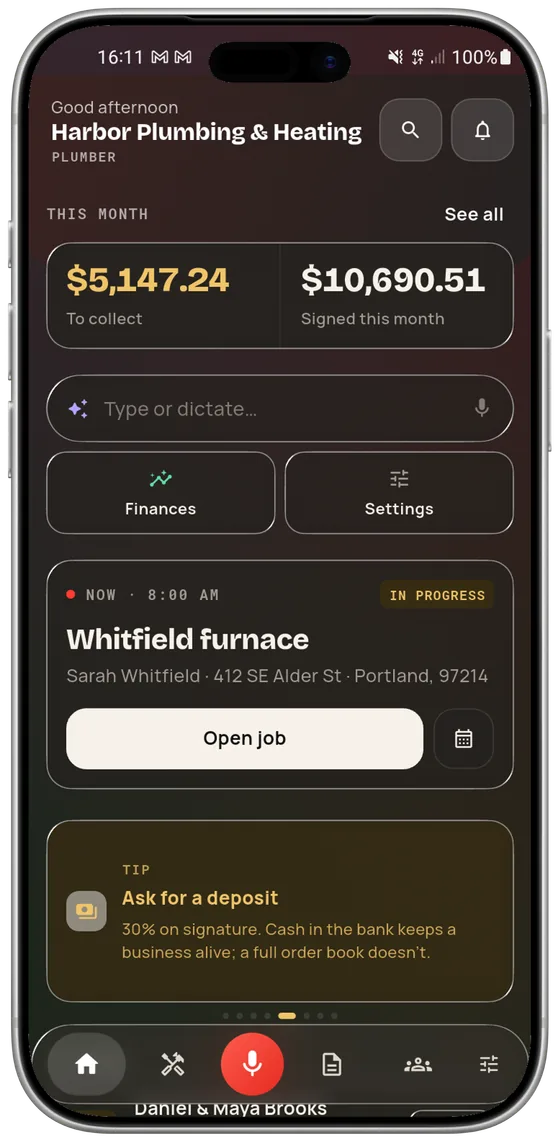
What is left to collect and what you signed this month, the job in progress with a button to open it, the estimates worth chasing with how long they have been waiting, upcoming maintenance, and a tip that changes. You can dictate from this screen without going anywhere.

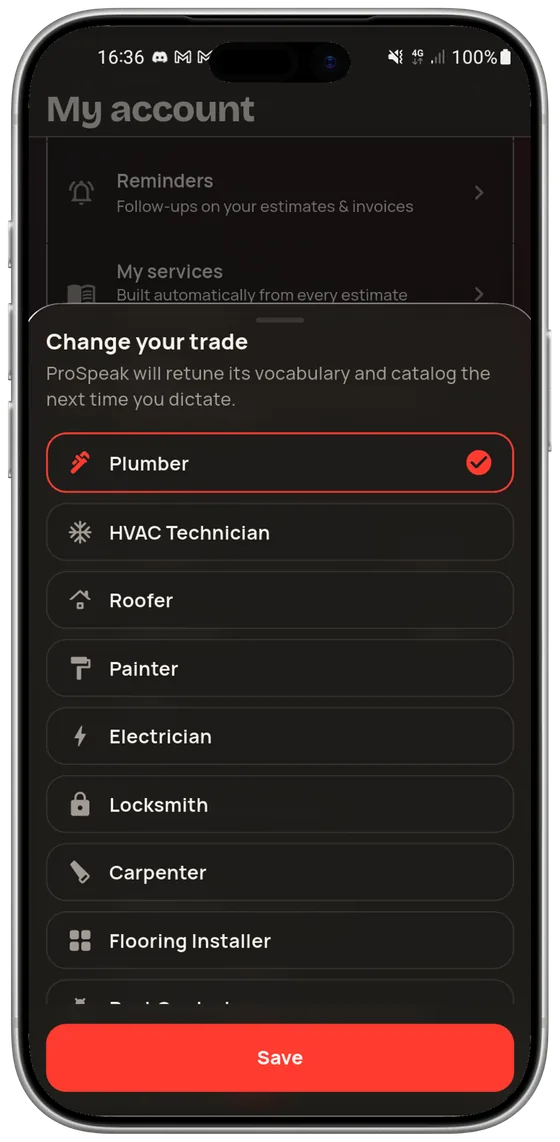
Plumber, electrician, HVAC tech, roofer, painter, landscaper, locksmith, carpenter, tile setter, mason, chimney sweep, tree service, solar installer, siding, window and door, fencing, deck builder, drywall, flooring, exterminator, concrete, insulation, garage door — plus “Other” for anyone not on the list. Each ships with its own vocabulary, catalog and maintenance rules; switching trades retunes the next dictation.

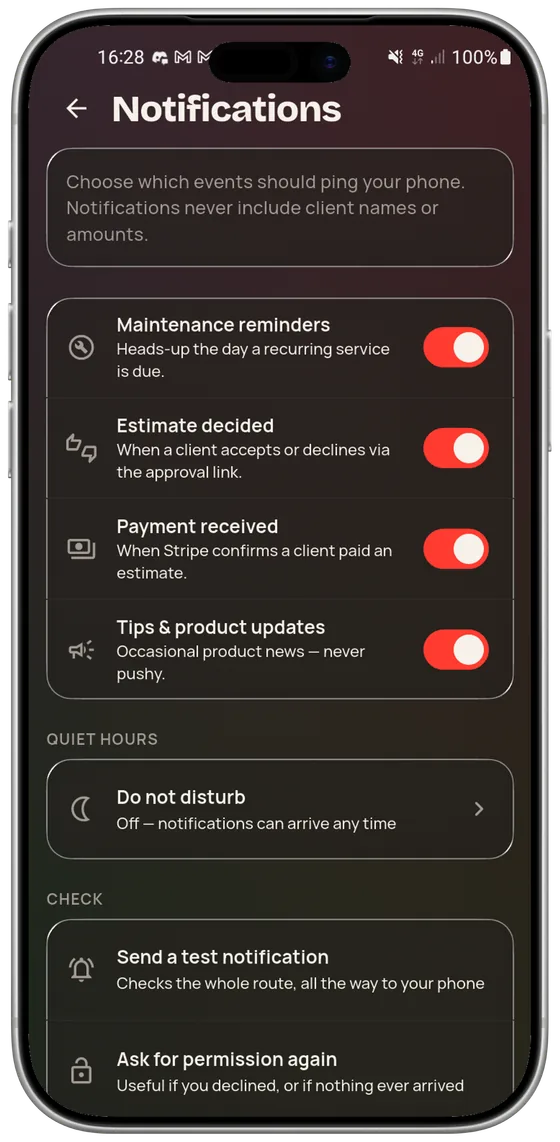
Maintenance reminders, estimate decided, payment received, product news: each switches off separately, and quiet hours mute everything. No client name and no amount ever appears in a notification — a phone face-up on a table does not narrate your business to whoever is across it.

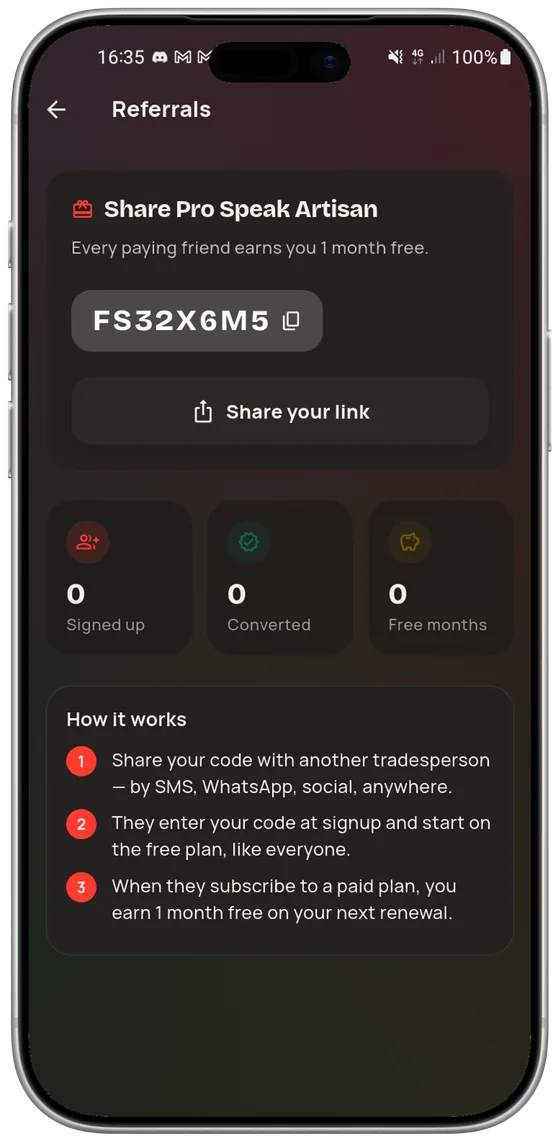
Your code shares by text, WhatsApp or in person. They enter it at sign-up and start on the free tier like everyone else; the day they take a paid plan, you get a free month on your next renewal. The screen counts sign-ups, conversions and the months you have already earned.
Screenshots from the demo workspace: names and amounts are examples.
Yes. They were taken on a phone, in the demo workspace the app opens with on first launch. Client names, addresses and amounts are examples; the screens, labels and buttons are the ones you will get.
23 trades across construction and property services, each with its own vocabulary, service catalog and recurring maintenance rules, plus an “Other” entry for trades not yet on the list. The app speaks English, French and Spanish.
Yes, end to end. When a client accepts an estimate, from the signed link or by hand, the invoice is issued from it: same lines, same totals, its own number, a PDF to send. A job billed in two steps produces a deposit invoice and then a balance invoice, as two separate documents. An invoice is settled through Stripe or simply marked paid by hand — cash, check, transfer.
No. Estimates, clients and photos stay on the phone and open offline; the accounting export is built on the device. A recording made without signal is queued and transcribed the moment connectivity returns.
The free tier gives 3 voice minutes a month, no card required. Starter is $29 a month for 150 minutes, Pro is $59 for 600 minutes, invoicing, accounting export and web platform access. A 60-minute top-up is $15, bought inside the app. Full plan details are on the home page.
iOS and Android. The screenshots on this page come from an Android device; the app is the same on iPhone, allowing for each platform’s conventions.
Audio is transcribed and then deleted from our storage after 30 days. Your data is never used to train models and never sold. The full breakdown is in the Privacy Policy, and deleting your account and all its data is done from Settings, without writing to us.
Yes. Installing opens a demo workspace and a five-step walkthrough, with sample estimates and clients you can poke at without breaking anything. The free tier asks for no card.